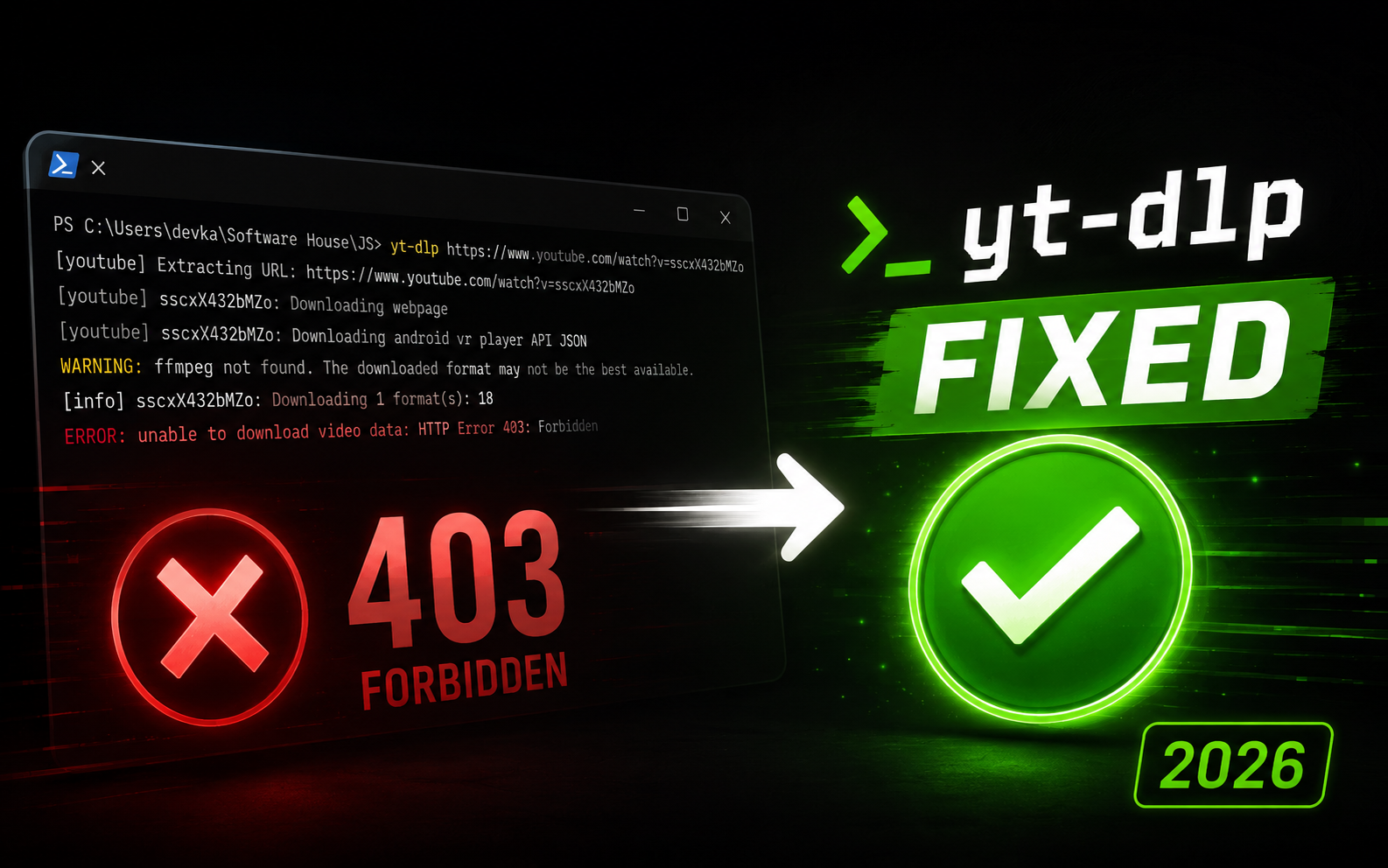
yt-dlp Ultimate Guide 2026: Download, Fix Errors & 100+ Commands
Master yt-dlp in 2026. Download videos from YouTube, TikTok and 1800+ sites. Fix bot detection errors and speed up downloads with aria2c. 100+ commands.
Complete yt-dlp Guide 2026
Master video downloads from 1800+ platforms. The most comprehensive guide with 100+ commands, troubleshooting, and advanced techniques.
Found This Guide
Platforms
Covered
Answered
Ranked on Google for 1,000+ yt-dlp related search queries • Updated March 2026
Is yt-dlp Still Working in 2026?
Yes! yt-dlp is actively maintained with daily updates as of March 2026. It's the best tool to download videos from YouTube and 1800+ other sites on Windows, Linux, and macOS.
If you're getting errors like "Sign in to confirm you're not a bot", run this to fix:
yt-dlp --cookies-from-browser chrome URLyt-dlp Not Working? The Complete Fix & Download Guide (2026)
Welcome to the most comprehensive yt-dlp guide on the internet. Whether you're getting errors, slow downloads, or just starting out - this guide covers installation, troubleshooting, and 100+ commands that professionals use daily.
1800+ Sites
Download from YouTube, TikTok, Instagram, Vimeo, and 1800+ more platforms
Active Development
Daily updates, bug fixes, and new features added constantly
100% Free & Open
No ads, no malware, no subscription fees. Pure open-source power
What is yt-dlp?
yt-dlp is a feature-rich command-line tool for downloading videos and audio from over 1800 websites. It's a community-maintained fork of youtube-dl, created in early 2021 when the original project became less actively maintained. Since then, it has become the gold standard for video downloading, surpassing its predecessor in every way.
Why yt-dlp Over youtube-dl?
Installation Guide
Windows Installation (Multiple Methods)
Method 1: Winget (Recommended)
Automatically adds to PATH, handles updates easily
winget install yt-dlpMethod 2: Chocolatey
choco install yt-dlpMethod 3: Scoop
scoop install yt-dlpMethod 4: Python pip
pip install -U yt-dlpMethod 5: Direct Binary Download
Download from GitHub releases and add to PATH manually
# Download yt-dlp.exe from GitHub# Place in C:\yt-dlp\# Add C:\yt-dlp to System Environment Variables > PathmacOS Installation
Homebrew (Recommended)
brew install yt-dlpMacPorts
sudo port install yt-dlpLinux Installation
Ubuntu/Debian
sudo apt install yt-dlpFedora
sudo dnf install yt-dlpArch Linux
sudo pacman -S yt-dlpUniversal (curl)
sudo curl -L https://github.com/yt-dlp/yt-dlp/releases/latest/download/yt-dlp -o /usr/local/bin/yt-dlpsudo chmod a+rx /usr/local/bin/yt-dlpEssential: Install FFmpeg
FFmpeg is required for merging video+audio streams, format conversions, and post-processing. Almost all advanced features require FFmpeg.
winget install Gyan.FFmpegbrew install ffmpegsudo apt install ffmpegVerification
yt-dlp --versionExpected output: A date like 2025.01.15
Updating yt-dlp
# Self-update (for binary installations)yt-dlp -U
# Update to nightly builds (bleeding edge)yt-dlp --update-to nightly
# Update via pippip install -U yt-dlp1800+ Supported Sites
yt-dlp supports over 1800 websites across virtually every category. Here's a comprehensive breakdown:
Video Streaming Platforms
- • YouTube (videos, live streams, playlists, channels, Shorts, Music)
- • Vimeo (public, private, password-protected)
- • Dailymotion
- • Twitch (VODs, clips, live streams)
- • Rumble
- • Odysee/LBRY
Social Media Platforms
- • TikTok (videos, profiles, hashtags)
- • Instagram (posts, stories, reels, IGTV) - requires cookies for private content
- • Facebook (videos, live streams, stories)
- • Twitter/X (videos, Twitter Spaces audio recordings)
- • Reddit (videos, v.redd.it)
- • LinkedIn
Educational Platforms
- • Coursera
- • Udemy
- • Khan Academy
- • LinkedIn Learning
- • edX
- • Skillshare
- • TED Talks
Regional Platforms (Korea, China, Japan, Russia)
- • Naver TV (Korea) - Full support for Naver TV videos and channels
- • Kakao TV (Korea) - Download Kakao TV content directly
- • Bilibili (China)
- • Niconico (Japan)
- • VK (Russia) - VK videos and stories
- • Youku (China)
News & Media
- • CNN, BBC, NBC
- • The Guardian, New York Times
- • Reuters, AP News
- • Conde Nast (Wired, GQ, Vogue, Vanity Fair)
- • Vice News
File Hosting & Others
- • Dropbox, Google Drive (public links)
- • Archive.org
- • SoundCloud, Bandcamp
- • Podcasts (various providers)
- • Patreon (supporter content)
View Complete List
yt-dlp --list-extractorsDoes yt-dlp Support Netflix? (DRM-Protected Sites)
No. yt-dlp does NOT support Netflix, Disney+, Amazon Prime Video, Hulu, or HBO Max. These platforms use DRM (Digital Rights Management) encryption that yt-dlp cannot bypass.
Sites NOT supported:
- • Netflix, Disney+, Amazon Prime Video
- • HBO Max, Hulu, Peacock, Paramount+
- • Apple TV+, Crunchyroll Premium
These services use Widevine DRM. Attempting to bypass DRM is illegal in many jurisdictions.
Essential Basic Commands
Simple Download
Downloads best available quality (video+audio merged)
yt-dlp "https://www.youtube.com/watch?v=VIDEO_ID"Audio Extraction
# Extract as MP3yt-dlp -x --audio-format mp3 URL
# Extract as M4A (better quality)yt-dlp -x --audio-format m4a URL
# Extract as FLAC (lossless)yt-dlp -x --audio-format flac URL
# Best audio quality (no conversion)yt-dlp -f bestaudio URLVideo Quality Selection
# Best overall qualityyt-dlp -f "bestvideo+bestaudio" URL
# Specific resolutionyt-dlp -f "bestvideo[height<=1080]+bestaudio" URL
# 4K videoyt-dlp -f "bestvideo[height<=2160]+bestaudio" URL
# 8K video (if available)yt-dlp -f "bestvideo[height<=4320]+bestaudio" URLPlaylist Downloads
# Download entire playlistyt-dlp -i PLAYLIST_URL
# Download from specific indexyt-dlp --playlist-start 5 PLAYLIST_URL
# Download rangeyt-dlp --playlist-start 10 --playlist-end 20 PLAYLIST_URL
# Download with playlist position in filenameyt-dlp -o "%(playlist_index)s - %(title)s.%(ext)s" PLAYLIST_URLCustom Output Paths
# Save to specific folderyt-dlp -o "D:/Videos/%(title)s.%(ext)s" URL
# Organize by uploaderyt-dlp -o "~/Downloads/%(uploader)s/%(title)s.%(ext)s" URL
# Organize by dateyt-dlp -o "Videos/%(upload_date)s/%(title)s.%(ext)s" URL
# Complex templateyt-dlp -o "%(uploader)s/%(playlist)s/%(playlist_index)s - %(title)s.%(ext)s" URLAdvanced Quality & Format Selection
Master the art of format selection to get exactly what you want. Understanding format codes is key to unlocking yt-dlp's full power.
List Available Formats
yt-dlp -F URLThis shows all available video and audio streams with their IDs, resolutions, codecs, and file sizes
Format Selection Examples (4K, 8K, HDR)
# Download specific format by IDyt-dlp -f 137+140 URL
# Download 8K video (4320p) - if availableyt-dlp -f "bestvideo[height<=4320]+bestaudio" URL
# Download 4K video (2160p)yt-dlp -f "bestvideo[height<=2160]+bestaudio" URL
# Best video with VP9 codec + best audioyt-dlp -f "bestvideo[vcodec^=vp9]+bestaudio" URL
# Best 1080p or loweryt-dlp -f "bestvideo[height<=1080]+bestaudio/best[height<=1080]" URL
# Prefer 60fpsyt-dlp -f "bestvideo[fps>=60]+bestaudio" URL
# HDR video (HEVC/H.265)yt-dlp -f "bestvideo[vcodec*=hev1]+bestaudio" URL
# AV1 codec (modern, efficient, best for 4K/8K)yt-dlp -f "bestvideo[vcodec^=av01]+bestaudio" URL
# Best MP4 format (for compatibility)yt-dlp -f "bestvideo[ext=mp4]+bestaudio[ext=m4a]" URLUnderstanding Format Specifiers
bestvideoBest quality video-only stream
bestaudioBest quality audio-only stream
bestBest quality single-file format
worstLowest quality format
[height<=1080]Filter by max resolution
[fps>=60]Filter by framerate
[vcodec^=vp9]Filter by video codec
[acodec=opus]Filter by audio codec
[filesize<100M]Filter by file size
[ext=mp4]Filter by container format
Pro Tip: Format Selection Strategy
For best results, always use format selection that merges separate streams:
-f "bestvideo+bestaudio"YouTube stores high-quality videos and audio separately. Merging them gives you the best possible quality. Requires FFmpeg!
Advanced Features & Options
Subtitle Downloads
# Download all available subtitlesyt-dlp --write-subs --sub-langs all URL
# Download specific languageyt-dlp --write-subs --sub-lang en URL
# Auto-generated subtitlesyt-dlp --write-auto-subs --sub-lang en URL
# Embed subtitles in videoyt-dlp --embed-subs --sub-lang en URL
# Download subtitle only (no video)yt-dlp --skip-download --write-subs URLThumbnail Operations
# Download thumbnailyt-dlp --write-thumbnail URL
# Embed thumbnail in audio fileyt-dlp --embed-thumbnail -x --audio-format mp3 URL
# Convert thumbnail to jpgyt-dlp --write-thumbnail --convert-thumbnails jpg URLMetadata & Description
# Embed metadata in fileyt-dlp --embed-metadata URL
# Write description to fileyt-dlp --write-description URL
# Write info jsonyt-dlp --write-info-json URL
# Write all metadatayt-dlp --write-info-json --write-description --write-annotations URLPost-Processing & Chapter Embedding
# Convert to MP4 (--recode-video)yt-dlp --recode-video mp4 URL
# Embed chapters from YouTube (--embed-chapters)yt-dlp --embed-chapters URL
# Split chapters into separate filesyt-dlp --split-chapters URL
# Remove sponsor segments (SponsorBlock)yt-dlp --sponsorblock-remove all URL
# Re-encode audioyt-dlp --audio-quality 0 -x --audio-format mp3 URL
# Recode with specific codecyt-dlp --recode-video mp4 --postprocessor-args "ffmpeg:-c:v libx264 -preset fast" URLNetwork & Download Control
# Limit download speedyt-dlp --limit-rate 1M URL
# Use multiple connections (aria2c)yt-dlp --external-downloader aria2c --external-downloader-args "-x 16 -k 1M" URL
# Use proxyyt-dlp --proxy socks5://127.0.0.1:9050 URL
# Retry on failureyt-dlp --retries 10 URL
# Set timeoutyt-dlp --socket-timeout 30 URLBatch Downloads
# Download from URL listyt-dlp -a urls.txt
# Download archive (skip already downloaded)yt-dlp --download-archive archive.txt URL
# Continue incomplete downloadsyt-dlp --continue URL
# Ignore errors and continueyt-dlp -i URLAuthentication & Cookie Management
For age-restricted, member-only, or private videos, you need to authenticate. Here are all the methods:
Method 1: Browser Cookies (Easiest)
yt-dlp can extract cookies directly from your browser
# Chrome/Chromiumyt-dlp --cookies-from-browser chrome URL
# Firefoxyt-dlp --cookies-from-browser firefox URL
# Edgeyt-dlp --cookies-from-browser edge URL
# Safariyt-dlp --cookies-from-browser safari URL
# Braveyt-dlp --cookies-from-browser brave URLBrowser Lock Issue
Method 2: Cookie File Export
Best for servers/VPS or when Method 1 fails
Step 1: Install Browser Extension
Install "Get cookies.txt LOCALLY" extension
Step 2: Export Cookies
Visit YouTube (logged in), click extension, export to cookies.txt
Step 3: Use Cookie File
yt-dlp --cookies cookies.txt URLMethod 3: Username/Password (Not Recommended)
# Direct login (less secure)yt-dlp -u username -p password URL
# Use netrc file (better)yt-dlp --netrc URLSecurity Warning
Two-Factor Authentication
# If 2FA is enabledyt-dlp -u username -p password --twofactor CODE URL
# Or use cookies (recommended)yt-dlp --cookies-from-browser chrome URLSponsorBlock Integration
SponsorBlock is a crowdsourced database of sponsor segments in YouTube videos. yt-dlp can automatically skip or remove these segments!
# Mark sponsor segments (adds chapters)yt-dlp --sponsorblock-mark all URL
# Remove sponsor segments entirelyyt-dlp --sponsorblock-remove all URL
# Remove specific categoriesyt-dlp --sponsorblock-remove sponsor,selfpromo URL
# Mark specific categoriesyt-dlp --sponsorblock-mark intro,outro,sponsor URL
# Get SponsorBlock info without downloadingyt-dlp --print-json --sponsorblock-mark all URLSponsorBlock Categories
sponsorPaid promotion
introIntermission/Intro Animation
outroEndcards/Credits
selfpromoSelf-promotion
interactionInteraction Reminder (Subscribe)
music_offtopicNon-Music Section in Music Videos
previewPreview/Recap
fillerFiller Tangent
SponsorBlock + Best Quality
yt-dlp -f "bestvideo+bestaudio" --sponsorblock-remove all --embed-subs URLMastering Playlists & Channels
Playlist Downloads
# Download entire playlistyt-dlp -i PLAYLIST_URL
# Download only videos 5-10yt-dlp --playlist-start 5 --playlist-end 10 URL
# Download latest 5 videosyt-dlp --playlist-end 5 URL
# Reverse order (oldest first)yt-dlp --playlist-reverse URL
# Random orderyt-dlp --playlist-random URLChannel Downloads
# Download all videos from channelyt-dlp "https://www.youtube.com/@channelname/videos"
# Download only Shortsyt-dlp "https://www.youtube.com/@channelname/shorts"
# Download only Streamsyt-dlp "https://www.youtube.com/@channelname/streams"
# Download only Playlistsyt-dlp "https://www.youtube.com/@channelname/playlists"Filtering by Date
# Videos uploaded after specific dateyt-dlp --dateafter 20240101 URL
# Videos uploaded before specific dateyt-dlp --datebefore 20241231 URL
# Videos from date rangeyt-dlp --dateafter 20240101 --datebefore 20240630 URL
# Only videos from this yearyt-dlp --dateafter now-1year URLAdvanced Playlist Organization
# Organize by playlist and indexyt-dlp -o "%(playlist)s/%(playlist_index)02d - %(title)s.%(ext)s" URL
# Include uploader in pathyt-dlp -o "%(uploader)s/%(playlist)s/%(title)s.%(ext)s" URL
# Separate audio and video playlistsyt-dlp -o "Music/%(title)s.%(ext)s" -x --audio-format mp3 MUSIC_PLAYLISTyt-dlp -o "Videos/%(title)s.%(ext)s" VIDEO_PLAYLISTDownload Archive (Skip Downloaded)
# Create download archiveyt-dlp --download-archive downloaded.txt URL
# Skip already downloaded videosyt-dlp --download-archive downloaded.txt PLAYLIST_URL
# Useful for regularly updated playlistsyt-dlp --download-archive archive.txt "https://www.youtube.com/@channel/videos"Pro Tip: Automation
Common Issues & Solutions
Error: "yt-dlp is not recognized"
yt-dlp is not in your system PATH
Solution 1: Restart your terminal after installation
Solution 2: Add yt-dlp folder to System Environment Variables → Path
Solution 3: Use full path: C:\path\to\yt-dlp.exe URL
Error: "ffprobe/ffmpeg not found"
FFmpeg is not installed or not in PATH
# Install FFmpeg# Windows: winget install Gyan.FFmpeg# macOS: brew install ffmpeg# Linux: sudo apt install ffmpegError: "Sign in to confirm you're not a bot"
YouTube is blocking your IP / requires authentication
# Solution: Use cookiesyt-dlp --cookies-from-browser chrome URL
# Or use cookie fileyt-dlp --cookies cookies.txt URLError: "Unable to extract video data"
yt-dlp is outdated or site structure changed
# Update yt-dlpyt-dlp -U
# Try nightly buildyt-dlp --update-to nightlyError: "Requested format not available"
The format you specified doesn't exist
# List available formats firstyt-dlp -F URL
# Then select appropriate formatyt-dlp -f FORMAT_ID URLSlow Download Speeds
YouTube throttling or single-threaded download
# Use aria2c for multi-connection downloadsyt-dlp --external-downloader aria2c --external-downloader-args "-x 16 -k 1M" URL
# Install aria2c first:# Windows: winget install aria2# macOS: brew install aria2# Linux: sudo apt install aria2Database Locked (Cookie Extraction)
Browser is still running
Solution: Close your browser completely, then run:
yt-dlp --cookies-from-browser chrome URLAge-Restricted / Private Video Error
Need authentication
# Method 1: Browser cookiesyt-dlp --cookies-from-browser chrome URL
# Method 2: Cookie fileyt-dlp --cookies cookies.txt URLPerformance Optimization Tips
Use External Downloader
aria2c provides 5-10x faster downloads
yt-dlp --external-downloader aria2c \\ --external-downloader-args "-x 16 -k 1M" URLConcurrent Downloads
Download multiple videos simultaneously
# Download 4 videos concurrentlyyt-dlp --concurrent-fragments 4 URL
# Or use GNU parallelparallel -j 4 yt-dlp :::: urls.txtOptimize File Size
Balance quality and file size
# Use efficient codecsyt-dlp -f "bestvideo[vcodec^=av01]+bestaudio" URL
# Limit resolutionyt-dlp -f "bestvideo[height<=1080]+bestaudio" URLBypass Throttling
Avoid YouTube's speed limits
# Use different IP (VPN/Proxy)yt-dlp --proxy socks5://proxy:port URL
# Rotate user agentyt-dlp --user-agent "Mozilla/5.0..." URLFrequently Asked Questions (50+)
Installation & Setup
Is yt-dlp free?
Yes, 100% free and open-source under the Unlicense license.
Which is better: yt-dlp or youtube-dl?
yt-dlp is significantly better - it's actively maintained, faster, has more features, better format selection, and SponsorBlock integration.
Do I need Python installed?
No, if you use the standalone binary. Python is only required if installing via pip.
Why is FFmpeg required?
FFmpeg merges separate video/audio streams, converts formats, and handles post-processing. Without it, you can't get high-quality merged downloads.
How do I update yt-dlp?
Run: yt-dlp -U (for binary) or pip install -U yt-dlp (for pip installation)
Usage & Commands
How do I download 4K videos?
Use: yt-dlp -f "bestvideo[height<=2160]+bestaudio" URL - This downloads 4K quality and merges with best audio.
How do I download only audio as MP3?
Use: yt-dlp -x --audio-format mp3 URL
Can I download entire playlists?
Yes! Use: yt-dlp -i PLAYLIST_URL (the -i flag ignores errors for private/deleted videos)
How do I download videos from Instagram/TikTok?
Same as YouTube! Just paste the URL: yt-dlp URL - yt-dlp supports 1800+ sites automatically.
How do I save videos to a specific folder?
Use: yt-dlp -o "D:/Videos/%(title)s.%(ext)s" URL
How do I download subtitles?
Use: yt-dlp --write-subs --sub-lang en URL (or --embed-subs to embed them in the video)
Can I download live streams?
Yes! yt-dlp can record ongoing live streams. Just paste the live stream URL.
How do I limit download speed?
Use: yt-dlp --limit-rate 1M URL (limits to 1MB/s)
Authentication & Access
How do I download age-restricted videos?
Use cookies: yt-dlp --cookies-from-browser chrome URL
How do I download member-only YouTube videos?
Use cookies from your logged-in browser: yt-dlp --cookies-from-browser chrome URL
What are cookies and why do I need them?
Cookies are your login session data. They prove to YouTube that you're logged in and have access to restricted content.
Is it safe to use cookies?
Yes, but keep your cookies.txt file private - it contains your login session. Don't share it.
Can I download private Vimeo videos?
Yes, if you have access. Use: yt-dlp --cookies-from-browser chrome VIMEO_URL
How do I handle two-factor authentication?
Use cookies-from-browser method - it bypasses the need for 2FA since you're already logged in.
Troubleshooting
Why is download so slow?
YouTube throttles single-threaded downloads. Use aria2c: yt-dlp --external-downloader aria2c --external-downloader-args '-x 16' URL
Error: 'database is locked' when using cookies
Close your browser completely before running yt-dlp --cookies-from-browser
Error: 'Sign in to confirm you're not a bot'
YouTube is blocking you. Use cookies: yt-dlp --cookies-from-browser chrome URL
Video and audio are separate files - how to merge?
Install FFmpeg and use: yt-dlp -f 'bestvideo+bestaudio' URL - it will auto-merge.
Why does yt-dlp fail on some videos?
Update yt-dlp (run yt-dlp -U) or try nightly: yt-dlp --update-to nightly
How do I fix 'Unable to extract video data'?
Update yt-dlp to the latest version: yt-dlp -U
Can't download from a specific site - what to do?
Check if the site is supported: yt-dlp --list-extractors | grep sitename
Advanced Features
How do I remove sponsored segments automatically?
Use SponsorBlock: yt-dlp --sponsorblock-remove all URL
Can I download a YouTube channel?
Yes! yt-dlp 'https://www.youtube.com/@channelname/videos'
How do I avoid re-downloading videos?
Use download archive: yt-dlp --download-archive archive.txt URL
Can I download thumbnails separately?
Yes: yt-dlp --write-thumbnail --skip-download URL
How do I embed metadata in files?
Use: yt-dlp --embed-metadata --embed-thumbnail --embed-subs URL
Can I download only new videos from a playlist?
Yes, use --download-archive to track what's downloaded, then run periodically.
How do I split videos by chapters?
Use: yt-dlp --split-chapters URL
Can I download videos uploaded after a specific date?
Yes: yt-dlp --dateafter 20240101 CHANNEL_URL
How do I use a proxy?
Use: yt-dlp --proxy socks5://proxy:port URL
Can I automate daily downloads?
Yes! Use cron (Linux/Mac) or Task Scheduler (Windows) with --download-archive.
Legal & Ethics
Is it legal to use yt-dlp?
yt-dlp itself is legal. However, downloading copyrighted content without permission may violate terms of service or local laws.
Can I get banned from YouTube?
YouTube's Terms of Service prohibit downloading, but enforcement varies. Use responsibly and for personal/educational purposes.
What content is safe to download?
Your own videos, Creative Commons content, public domain material, or content you have explicit permission to download.
Can I distribute downloaded videos?
Generally no, unless the content is explicitly licensed for redistribution (like Creative Commons).
Is yt-dlp safe from malware?
Yes, when downloaded from official sources (GitHub, official website). Never download from third-party sites.
Netflix, DRM & Widevine (2026)
Can yt-dlp download from Netflix in 2026?
No. yt-dlp does NOT support Netflix. Netflix uses Widevine DRM (Digital Rights Management) encryption that yt-dlp cannot and does not attempt to bypass. This applies to all Netflix content worldwide.
Does yt-dlp support Netflix Widevine L3 decryption?
No. yt-dlp has no Widevine L3 or any DRM decryption capability. It is designed for sites that serve unprotected video streams. Netflix, Disney+, Amazon Prime, HBO Max, and similar services use Widevine DRM which is illegal to circumvent in most jurisdictions.
Is there a yt-dlp Netflix downloader working in 2026?
No. There is no legitimate yt-dlp Netflix downloader. Any tool claiming to download Netflix via yt-dlp is either a scam, malware, or illegal. Netflix content is protected by Widevine DRM which yt-dlp does not bypass.
Can yt-dlp download DRM-protected videos?
No. yt-dlp only works with sites that serve unprotected video streams. Sites using DRM (Widevine, FairPlay, PlayReady) like Netflix, Disney+, Amazon Prime Video, HBO Max, Hulu, and Apple TV+ are NOT supported.
What streaming services does yt-dlp NOT support?
yt-dlp does NOT support: Netflix, Disney+, Amazon Prime Video, HBO Max, Hulu, Peacock, Paramount+, Apple TV+, Crunchyroll Premium, or any service using DRM encryption. It works with YouTube, Vimeo, TikTok, Instagram, and 1800+ other non-DRM platforms.
Does yt-dlp have a Netflix extractor?
No. yt-dlp does not have and has never had a Netflix extractor. The yt-dlp project explicitly does not support DRM-protected services. Check supported sites with: yt-dlp --list-extractors
yt-dlp Status & Updates (March 2026)
Is yt-dlp still working in March 2026?
Yes! yt-dlp is fully working and actively maintained as of March 2026. The project receives daily updates with bug fixes and new features. If you're experiencing issues, update to the latest version with: yt-dlp -U
Is yt-dlp actively maintained in 2026?
Yes, very actively. yt-dlp has multiple maintainers and receives daily commits on GitHub. It's the most actively maintained video downloader available, far surpassing the original youtube-dl in update frequency.
What is the current status of yt-dlp in 2026?
yt-dlp is fully operational as of March 2026. It supports 1800+ sites, receives regular updates, and has a large active community. Latest releases are available at: github.com/yt-dlp/yt-dlp/releases
Has yt-dlp stopped working?
No. If yt-dlp stopped working for you, it's likely an outdated version. Run yt-dlp -U to update. YouTube frequently changes their systems, requiring yt-dlp updates. For the latest fixes, try: yt-dlp --update-to nightly
What is the latest version of yt-dlp in 2026?
yt-dlp releases updates frequently. Check the latest version with: yt-dlp --version. To update: yt-dlp -U. For bleeding-edge fixes: yt-dlp --update-to nightly. Visit github.com/yt-dlp/yt-dlp/releases for release notes.
Is youtube-dl or yt-dlp better in 2026?
yt-dlp is significantly better. youtube-dl has very infrequent updates, while yt-dlp receives daily updates, has faster downloads, SponsorBlock integration, better format selection, and supports more sites. yt-dlp is the recommended choice in 2026.
Is yt-dlp safe to use in 2026?
Yes, yt-dlp is safe when downloaded from the official GitHub repository (github.com/yt-dlp/yt-dlp). It's open-source, has no ads or malware, and is audited by the community. Never download from unofficial third-party websites.
Cookies, Bot Detection & Age Restriction
How do I fix 'Sign in to confirm you're not a bot' in 2026?
Use browser cookies: yt-dlp --cookies-from-browser chrome URL. This sends your logged-in session with the request, bypassing YouTube's bot detection. If Chrome doesn't work, try Firefox: yt-dlp --cookies-from-browser firefox URL
Which browser works best for yt-dlp cookies - Firefox or Chrome?
Both work well. Chrome is most commonly used, but Firefox cookies can be more reliable on some systems since Firefox doesn't encrypt cookies as aggressively. Try: yt-dlp --cookies-from-browser firefox URL if Chrome fails.
Do YouTube cookies expire for yt-dlp?
Yes, YouTube cookies typically expire after a few weeks to months. If yt-dlp stops working with cookies, export fresh cookies. For --cookies-from-browser, cookies are extracted fresh each time, so they don't expire as long as you're logged in.
How do I fix yt-dlp 'Sign in to confirm your age' error?
Use cookies from your browser (must be logged into an 18+ YouTube account): yt-dlp --cookies-from-browser chrome URL. This authenticates you and bypasses the age gate.
How do I fix 'yt-dlp can't download age restricted videos'?
Age-restricted videos require authentication. Use: yt-dlp --cookies-from-browser chrome URL. Make sure you're logged into YouTube on that browser with an account that has age verification completed.
How do I fix 'Requested format is not available' in yt-dlp?
List available formats first with: yt-dlp -F URL. Then pick a valid format ID. Or use flexible selection: yt-dlp -f 'bestvideo[height<=1080]+bestaudio/best' URL - the /best fallback handles cases where separate streams aren't available.
How do I fix yt-dlp N challenge solving failed?
This usually means yt-dlp is outdated. YouTube's N challenge changes frequently. Update immediately: yt-dlp -U. If still failing, try the nightly build: yt-dlp --update-to nightly. Using cookies also helps: yt-dlp --cookies-from-browser chrome URL
How to use yt-dlp with Firefox cookies for TikTok?
Use: yt-dlp --cookies-from-browser firefox TIKTOK_URL. Close Firefox first to avoid database lock errors. For persistent issues, export cookies to a file using 'Get cookies.txt LOCALLY' extension and use: yt-dlp --cookies cookies.txt URL
Platform-Specific (2026)
Does yt-dlp support Instagram in 2026?
Yes! yt-dlp supports Instagram posts, Reels, stories, and IGTV. For private content, use cookies: yt-dlp --cookies-from-browser chrome INSTAGRAM_URL
Does yt-dlp support TikTok in 2026?
Yes! yt-dlp natively supports TikTok videos. Just paste the URL: yt-dlp TIKTOK_URL. No cookies needed for public videos.
Does yt-dlp support Rumble in 2026?
Yes! yt-dlp has a Rumble extractor that works in 2026. Just paste the Rumble video URL: yt-dlp RUMBLE_URL
Does yt-dlp support Patreon in 2026?
Yes, yt-dlp can download public Patreon video content. For supporter-only content, you need cookies from a logged-in session: yt-dlp --cookies-from-browser chrome PATREON_URL
Does yt-dlp support Pornhub in 2026?
yt-dlp includes extractors for many adult sites. If a specific site isn't working, update yt-dlp with yt-dlp -U. For premium content, use cookies: yt-dlp --cookies-from-browser chrome URL
Why is yt-dlp Pornhub not working in 2026?
Adult sites frequently change their page structure. First update yt-dlp: yt-dlp -U. If still failing, try the nightly build: yt-dlp --update-to nightly. Some content requires cookies: yt-dlp --cookies-from-browser chrome URL
Can yt-dlp download Instagram stories?
Yes, but you need to be logged in: yt-dlp --cookies-from-browser chrome INSTAGRAM_URL
Can I download Twitter/X videos?
Yes, yt-dlp supports Twitter/X videos natively.
Does it work with Facebook videos?
Yes, including Facebook Live streams.
Can I download Twitch VODs?
Yes! Twitch streams, clips, and VODs are fully supported.
Does yt-dlp work with Reddit videos?
Yes, v.redd.it links are supported.
Creating a Configuration File
Tired of typing the same options? Create a config file to set your default preferences!
Config File Location
%APPDATA%/yt-dlp/config.txt~/.config/yt-dlp/config~/Library/Preferences/yt-dlp/configExample Configuration
# Output template-o "~/Downloads/%(uploader)s/%(title)s.%(ext)s"
# Always download best quality-f "bestvideo+bestaudio"
# Embed metadata--embed-metadata--embed-thumbnail--embed-subs
# Download subtitles--write-subs--sub-lang en
# SponsorBlock--sponsorblock-remove all
# Ignore errors-i
# Use aria2c--external-downloader aria2c--external-downloader-args "-x 16 -k 1M"
# Cookie handling--cookies-from-browser chromeOverride Config Options
Automation & Scripting
Batch Script for Windows
@echo offecho Downloading videos from channels...
yt-dlp --download-archive archive.txt ^ -o "Videos/%%(uploader)s/%%(title)s.%%(ext)s" ^ -f "bestvideo+bestaudio" ^ --sponsorblock-remove all ^ "https://www.youtube.com/@channel1/videos" ^ "https://www.youtube.com/@channel2/videos"
echo Done!pauseBash Script for Linux/Mac
#!/bin/bash
# Download from multiple channelschannels=( "https://www.youtube.com/@channel1/videos" "https://www.youtube.com/@channel2/videos" "https://www.youtube.com/@channel3/videos")
for channel in "${channels[@]}"; do yt-dlp --download-archive archive.txt \\ -o "~/Videos/%(uploader)s/%(title)s.%(ext)s" \\ -f "bestvideo+bestaudio" \\ --sponsorblock-remove all \\ "$channel"done
echo "All downloads complete!"Cron Job (Auto-download daily)
# Edit crontabcrontab -e
# Add this line (runs daily at 2 AM)0 2 * * * /usr/local/bin/yt-dlp --download-archive ~/archive.txt -o "~/Videos/%(title)s.%(ext)s" "https://www.youtube.com/@channel/videos"Windows Task Scheduler
- Open Task Scheduler
- Create Basic Task
- Set trigger (e.g., Daily at 2:00 AM)
- Action: Start a program
- Program:
yt-dlp - Arguments:
--download-archive archive.txt -o "Videos/%(title)s.%(ext)s" URL
Advanced Use Cases & Pro Tips
🎓 Archive Educational Content
# Download entire course playlists with organized structureyt-dlp --download-archive coursera-archive.txt \\ -o "Courses/%(playlist)s/%(playlist_index)s - %(title)s.%(ext)s" \\ --write-subs --embed-subs \\ --embed-metadata \\ COURSE_PLAYLIST_URL🎵 Build Music Library from YouTube
# Extract high-quality audio with embedded artworkyt-dlp -x --audio-format m4a \\ --audio-quality 0 \\ --embed-thumbnail \\ --embed-metadata \\ --add-metadata \\ -o "Music/%(artist)s/%(album)s/%(track_number)s - %(title)s.%(ext)s" \\ MUSIC_PLAYLIST_URL📺 Download Entire TV Series/Documentary
# Download with episode numberingyt-dlp -o "Shows/%(series)s/Season %(season_number)s/%(series)s - S%(season_number)sE%(episode_number)s - %(title)s.%(ext)s" \\ -f "bestvideo[height<=1080]+bestaudio" \\ --embed-metadata \\ SERIES_PLAYLIST_URL🎮 Download Gaming VODs from Twitch
# Download Twitch VOD with chat replayyt-dlp -f "best" \\ --write-thumbnail \\ --embed-metadata \\ -o "Twitch/%(uploader)s/%(title)s.%(ext)s" \\ TWITCH_VOD_URL📱 Download TikTok Without Watermark
# TikTok download (watermark depends on format availability)yt-dlp -f "best" \\ -o "TikTok/%(uploader)s/%(title)s.%(ext)s" \\ TIKTOK_URLOfficial Resources
Legal Disclaimer & Responsible Use
This guide is for educational purposes. Users are responsible for complying with:
- YouTube's Terms of Service and platform policies
- Copyright laws in their jurisdiction
- Fair use guidelines and content licensing
Recommended uses: Archiving your own content, downloading Creative Commons material, educational purposes with proper attribution, or content you have explicit permission to download.
You're Now a yt-dlp Expert! 🎉
You've learned everything from basic downloads to advanced automation. yt-dlp is an incredibly powerful tool - use it wisely and responsibly.
Build a Consistent Coding Habit
Stop guessing and start building. This e-book provides practical strategies, exercises, and routines to help you code regularly and improve steadily.
Get E-BookMaster Unfamiliar Codebases
Struggling to make sense of someone else's code? Learn practical strategies to navigate, analyze, and master unfamiliar codebases with confidence.
Get E-Book
💬 Discussion